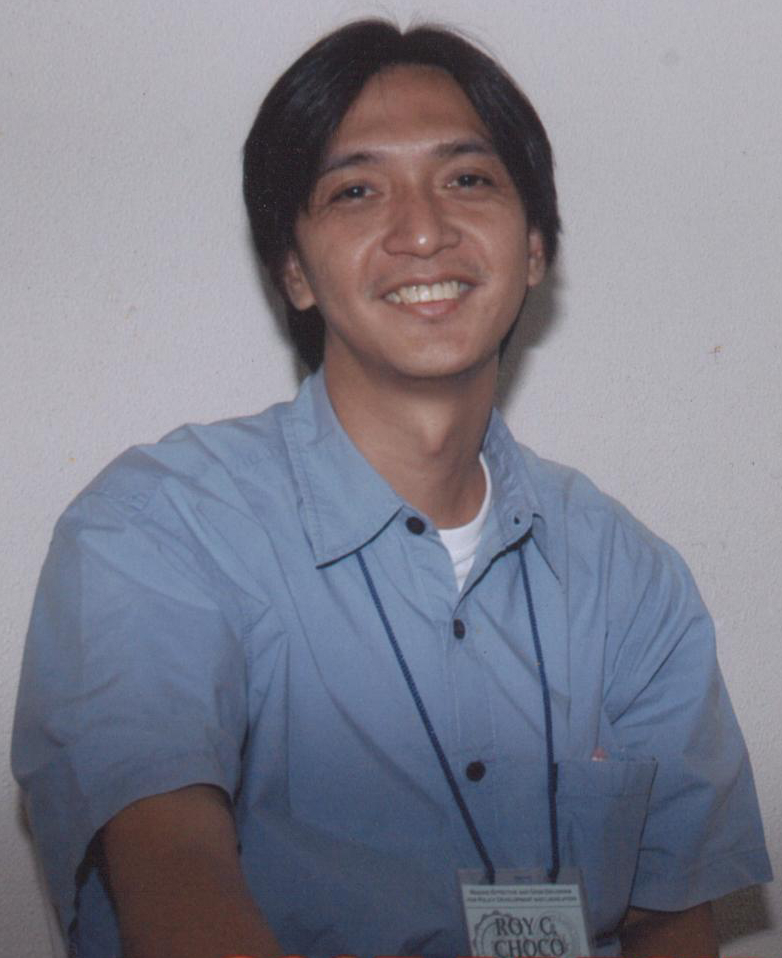
Thursday, April 04, 2013
Desktop ko sa Kubuntu 12.10
Saturday, July 12, 2008
Upgrading to Hardy
So I am now typing this post from the laptop, playing around with it. It seems ok to me. Time will tell if there will be any inconveniences, but I am happy right now. Learned new things again. :)
Wednesday, January 02, 2008
Installing a Scanner in Kubuntu
My wife gave me her old scanner, an Genius Colorpage-Vivid 1200xe, about a month ago. When I got it, I immediately attached the scanner to my old PC to test if I can scan something. It did not work, the program I used, Kooka proclaimed that "no scanner was found" and that "Your system does not provide a SANE (Scanner Access Now Easy) installation, which is required by the KDE scan support."
I did a little research at that time and it seemed to me that if I have to install SANE in my system, I would need to bein a better frame of mind lest i again hose my system.
Today after several weeks I tried again. Did some more research, found out that I needed the SANE gt68xx backend for my particular scanner. Fortuitously, while trying to install libsane-extras using adept-manager, I found out that the gt68xx backend is already present. I did not need to install the damn thing, I just needed to get my scanner program to recognize it.
Searched some more, found some advice to also install sane, sane utils and xsane and xsane-common, which I did. Trying to scan with xsane gave me a different error message, "Failed to open device 'gt68xx..." Which, with another couple of google searches led me to believe that I need to download the scanner's windows driver and place the CCD569.fw file in the /usr/share/sane/gt68xx/ folder.
I was able to download the driver and was able to install the driver in wine to extract the CCD569.fw file. Unfortunately, the gt68xx folder was read only so I had to copy the CCD569.fw using the the command line. My first attempts using the command 'sudo copy /folder/file /folder/' gave me the 'command does not exit' reaction from the PC, apparently Linux does not recognize the 'copy' command, I had to go back and google the copy command for linux. Which was cp.
Using the cp command, I was able to copy the CCD file to the gt68xx folder and was able to scan my first picture in Linux

As more people use Linux, the manufacturers will likely include Linux drivers in their cds and installing scanners will be as easy as it is in Windows. But with a little googling around (making sure that the hardware you buy is supported in Linux), most people can already enjoy using their peripherals in Linux
Sunday, November 04, 2007
My Desktop

desktop110407
Originally uploaded by roychoco
After installing Kubuntu Gutsy Gibbon yesterday, I made a few tweaks to the system.
1. Installed Kubuntu Restricted extras to get MP3 playback and decoding, Java runtime environment, Flash plugin, DVD playback, and LAME (to create compressed audio files).
2. Installed Microsoft core fonts.
3. Installed rar and 7zip support
4. Installed showFoto, the best simple photo editing software I've used
5. Installed Comix viewer for reading Manga
6. Installed wine so I can run some windows applications
7. Installed 7zip, the only windows app I migrated to linux.
Reflecting on the upgrade, there were no radical increase in usability from Feisty to Gutsy. I was carried away with the launch of a new version and should have waited for the next version after Gutsy before upgrading.
Not that there are any problems with Gutsy, it installed easily and recognized all my hardware. But Feisty did that too, and I've already personalized Feisty's settings to my liking. Now I'm starting over with Gutsy, of course if the online upgrade worked, all my settings should have been imported.
Bottom line, if it ain't broke, don't fix it.
Update: November 5, 2007, 12:19 am
Saturday, November 03, 2007
Upgrading to Gutsy 2
10:16 pm: Finished installation about an hour after I started, I tried to update this post but Konqueror kept crashing when I go to blogger to update. So I installed Firefox through the add-remove utility. But my back-up of Firefox's configuration file was in my windows partition, and I did not want to start browsing without my bookmarks and add-ons. Tried to mount the windows hard drive but I forgot that you had to install the "NTFS configuration tool" to be able to mount NTFS partitions. So I installed it, but I also forgot that it's default configuration is for gnome, Seven Capital sins explains the problem and the solution
"The command used in the menu to launch ntfs-config was “gksu ntfs-config”. I replaced that with “kdesu ntfs-config”After I replaced the command, I was able to mount the drive, copy the Firefox config and update this post.
While copying the Firefox config file, I found out that Dolphin, the new default file manager for does not allow you to show hidden files (update: found out that it actually does allow you to show hidden files), so I reverted to Konqueror as my default file manager Sathya Says explains how to make dolphin your default file manager, you just reverse the process to make Konqueror your default file manager.
I will probably be making other tweaks to Gutsy for the next several days .
First part is here continuation here
Wednesday, October 24, 2007
Upgrading to Gutsy
Woke up at 5:00 am, downloading was finished and the installation was starting. Installatin was stopped however by a dialogue window that informs me that if I wanted to use MS corefonts for printing I will have to configure Defoma (debian font manager)
I closed the dialogue window and installation continued.
Shortly after that, I get another dialogue window which informs me that it could not install a 'debconf', installation will continue but "debconf may be in a not working state"
Was given the option to report the bug, tried to, when I clicked the button, Kkonqueror seemed to be start but eventually nothing happened. Clicked the button again, same thing happened. Clicked to close the dialogue window, what else can I do?
Another dialogue box this time informing me that /var/cahche/apt/archives/x11......debpackage cannot be installed. I just closed the box.
Another dialogue box that informs me that it could not install x11 common becuase of "dependency problems" and "x11 common will be left unconfigured.
Clicked to report the bug, same thing happened as before, apparently nothing. So I closed the box.
5:11 AM, its configuring libselinux1 and theres 7 hours and 27 minutes to go in the installation.
5:31 am, it's still configuring libselinux1.
5:53 am, still configuring libselinux1. I think it's stuck and there is no option to cancel.
5:57 am, still stuck, will try to restart and see what happens, hopefully, nothing major.
6:01 am, was warned that my system could be unusable if I stopped the upgrade, was given the option to continue the upgrade, picked yes but the system still rebooted. Now I cannot use adept because another process is using it.
6:30 am , apparently, I did make my system unusable. when I restarted, all I get is a blank screen with a blinking cursor. Any help to get out of this mess will be appreciated.
7:36 pm, After some browsing at ubuntu forums, I came to the conclusion that it would be easiest for me to just download a Kubuntu ISO, burn it to disk and install from there. I will have to boot up with my trusty Knoppix cd and burn my files to cd.
Update: October 30, 2007
I'm updating this post using my trusty Knoppix live cd. I've been burning my files to dvd for two days (18 DVDs so far) and it's not yet finished. And I am loathe to just throw out the things I don't use anymore, so I back all of them up and I've accumulated a lot of them. I know, I should have been backing up my files religiously and definitely should have backed them up before attempting the upgrade. But I didn't, so I'm doing it now, whidh is a pain, which is probably why I was not doing it before :).
I have also been distracted with playing Civilization, rediscovered that I had that game installed in my windows partition and have been struggling against the "one more turn" syndrome.
Bottom line, should be finished upgrading by the end of the week.
Update:
Continued here and here
Wednesday, August 01, 2007
Working with Linux
- Work
- Multi-Media
- Internet
- Games
As time went by, I was able to make make more of the areas work. Rather than Redhat, I chose to install Mandrake, which had mp3 support built in, which made multi-media support easier, I bought a hardware modem which let me dial-up to my ISP and with wine, I was even able to play Diablo II.
I now use Kubuntu, and we have a DSL connection that makes a lot of the problems I had with Redhat and Mandrake a thing of the past. Updating the kernel and the applications are now automatic and a breeze, installing new applications can be done in a few clicks and Linux supports virtually all network cards so I don't even need to think about hardware modems.
But the one thing that made my conversion to Linux complete is that I have lost a lot of interest in gaming. I don't play a lot of computer games anymore and that made the difference. If I still needed to install the newest games every month, I don't think I would have been able to convert completely.
So what I am saying here, is this. For those who do not play games and would like to save several thousand pesos in software purchases, basically MS Windows and Office, Kubuntu is a good alternative that will fill all your needs.
Monopoly
But it does not work, I double click on the icon and it seems to be initializing for a while and then it just quits. I searched in Ubuntu Forums and it seems that it will still be along while before I can play yahoo games in Kubuntu.
It just of course means that I would have to play other games besides yahoo games.
Wednesday, June 06, 2007
May the Source be with You

May the Source be with You
Originally uploaded by GNU/DrinuS !
This is my new wallpaper on my phone. I use Kubuntu as my primary home OS for several months now and have not encountered any major problems. I just love this this picture, it combines two of my favorite things, Linux and Star Wars.
p.s.My wife pointed out that the above is not only my wallpaper but my theme. She should know, she created it. If you want to try the theme out, you can download it here (Right click and save link as. The theme is for Sony Ericsson W810i.
Tuesday, March 06, 2007
30 Days with Ubuntu Linux
"Returning to the main thesis of the argument: Will the consumer really switch to Linux over Vista's annoyances? I believe a few will but the majority won't - this isn't an operating system for the easily frustrated. Certainly the group of people who get easily frustrated at the thought of increased DRM in the Vista system and the group of people who would get frustrated at the Linux learning curve probably overlap a great deal.read more | digg story
However, for those who stick it out throughout the learning curve period, the rewards are great.
Linux has some glaring flaws but it also has some amazing capabilities that can't be found anywhere else - at least without spending a hell of a lot of money.
I find that there are some things I just can't do in Linux – notably, gaming and Photoshop. For me, these are two very important tasks. I also find that there's much more that I can do in Linux that I can't in Windows. I'm mostly referring to the vast levels of consumer-oriented free software - software that I often didn't even know existed - whose equivalent often is price-prohibitive for most to obtain for Windows."
Sunday, July 09, 2006
Linux for Mothers
Let us just hope the rest of the Philippines but specially the government sector can follow Dominique and his mom in using Linux and other open source applications.
By the way, his post was also carried by tuxmachines.org
Sunday, October 02, 2005
Another Knoppix Testimonial
The PC had not been formatted for at least a year now so rather than trying to troubleshoot the problem, I would just reformat and reinstall windows. To facilitate this procedure, I whipped out my handy dandy knoppix CD. I booted to knoppix, navigated to where the files were, burned the files to a CD, (actually, it took 3 CDs) and presto, I was ready to format the hard drive. A procedure that not too long ago would have taken me the better part of a day now took me less than an hour. Of course, I forgot to save the saved games of my sister so I took a little ribbing for that. (Lesson Learned: The latest and greatest equipment will not save you from human error).
Installing the needed software took me longer, but that is not knoppix's fault.
Thursday, February 10, 2005
Linux - Free as in Freedom
for those who will read this later when the inq7 archives have been lost, this are the relevant potions of the column
"IN the ICT business -- a buzzword of this cute administration, together with "call center" and "instant noodles" -- people wonder what happened to some 200 or so costly computers.
Not too long ago, you see, when the Department of Trade and Industry was still under Korina San... er, then-secretary and now senator Mar Roxas, this cute administration distributed computers to public schools.
The money for the computers did not come from our tax money. They were financed by a grant from the Japanese government. In return for what, only they know.
From what I gathered, those computers are still not running. Well, they did not have the software to make them run, that's why.
Usually, if you buy a computer, it comes loaded with the programs. This cute administration thought it could save money by buying only the hardware.
Based on the story in the ICT sector, this cute administration wanted to use the operating system called "Linux."
The software, supposedly, would be "free." This cute administration wouldn't pay for it, not even with a cross-eyed centavo of our tax money.
It turned out that the government had to spend a lot more money to make the computers work using the so-called "free" software. Result? The computers are turning into junk, proving once again, in computers, that there's no such thing as a free launch!
* * *
EVEN in Europe, government outfits that decided to switch to "Linux," thereby dropping "Windows," are rethinking their move.
It's because they found out that they would also spend money by using Linux, one way or another, and it would cost so much more than, say, staying with "Windows."
To make the "free" operating system run other programs, you have to use software that you can only buy from -- where else? -- Linux.
But not only that, partner. Try visiting this website called "Zone H," which I reached at http://www.zone-h.org.
It's where computer hackers gloat about their exploits in cyberspace. Hackers are those whose idea of fun is getting in your pants ... no, your computers.
According to the Zone H website, 19.2 percent of the attacks were against Windows, while an amazing 60 percent were against Linux.
And -- get this -- even government institutions were not spared. Three Philippine websites were hacked.
One of them -- would you believe -- was the National Computer Center. Another was the Department of Science and Technology.
Another famous, enjoyable, beautiful and award-winning website, which Zone H claimed was hacked, was INQ7.net.
Maybe the hackers just wanted to correct the wrong grammar in this column, but I really can't say. "
HERE IS MY REACTION
First, I would like to state that I use linux in my personal computer, I was motivated to use linux because it is free and not only in monetary terms (you can find more about free software here http://www.gnu.org/philosophy/free-sw.html )
I don't know what the DOTC did that made them spend more on their PC's with linux. Although I would like to state that when I installed my linux distribution, Mandrake version 10.1. It not only installed the operating system (linux), it also came with the Open Office suite that replaces Word, Excel and Powerpoint.
According to Amazon, the list price for Microsoft Windows is $199 and the list price for Microsft Office Standrd is $499, even assuming a substantial discount of $ 500 per PC, the DOT would have needed to spend more than P 10,000 per PC, or an additional 2 milliion pesos to offset the savings they got from installing linux.
Here http://www.zdnet.com.au/news/software/0,2000061733,20261576,00.htm is a story about amazon reaping substantial savings whan they switched to linux.
Here http://www.computerweekly.com/Article124577.htm is a story about the cost of switching from windows to linux, it states
"Windows-to-Linux migrations are more of a toss-up due to higher retraining and conversion costs, and lower hardware acquisition cost savings."but it also states that when
"The more fully an enterprise adopts Linux across its infrastructure, the more financial leverage it is likely to get out of up-front investments in the OS. Those investments, which can be considerable, include Linux training and tools, and the costs of migrating from a Unix or Windows environment. And that financial leverage is improving steadily as better management tools, more third-party vendor support, and more skilled Linux system administrators arrive on the market."so switching from windows to linux for large institutions will entail upfront costs, but will give them more savings in the long run.
And as I stated above, linux is free, you do not need to buy linux, most of the software that you will use is actually in included in the distribution including but not limited to:
OpenOffice.org is a full-featured office suite that includes word processor, spreadsheet
and presentation applications. OpenOffice.org is available in 23 different languages
and can read & write most types of Microsoft Office documents such as Word, Excel
and PowerPoint files. OpenOffice.org features the ability to easily export a document
to PDF or Flash.
Scribus is a Desktop Publishing application in the tradition of XPress® and
Pagemaker®.
Karbon14 is a vector drawing application similar to Corel Draw and Adobe Illustrator.
Take your choice of several full-featured web browsers such as Mozilla, Konqueror and
Epiphany.
Mozilla-mail, Kmail and Evolution are world-class email clients that support email
encryption for enhanced privacy and security. Mozilla-mail also provides an efficient
anti-spam feature.
Kontact unifies KDE's email, calendaring, address book, notes and other PIM features
GnuCash is a personal finance manager which is compatible with applications such as
Quicken, Microsoft Money and MoneyDance.
And you can download and install many more applications that are also free.
Lastly, in the explanatory notes in the http://www.zone-h.org/ site, you can read the following lines in relation to their data about he number of attacks per OS.
"So far, so good except from one detail: the only exact action after watching these data is that
"YOU SHOULD SEND ALL THIS ANALYSIS AND THESE GRAPHS IN /DEV/NULL
Why? The reason is simple.
First of all, somebody might argue that the data should be re-evaluated and proportioned to the total amount of worldwide installations.
Second, crackers are choosing OS depending of what is "leet" at that very moment (remember the Solaris Armageddon 18 months ago?)
Availability of 0 days for particular OSs is also contributing to the "mumbo jumbo" curves of the above graph.
EVEN THEN, EVERYTHING SHOULD STILL GO TO /DEV/NULL
In fact, nowadays many of the intrusions are performed at database or application level.
Regardless the OS.
Regardless the web server."